
Download FaceMorpher Lite – Face Morphing, ID Photo, Driver's License, Morph Animation, Control Points
Overview
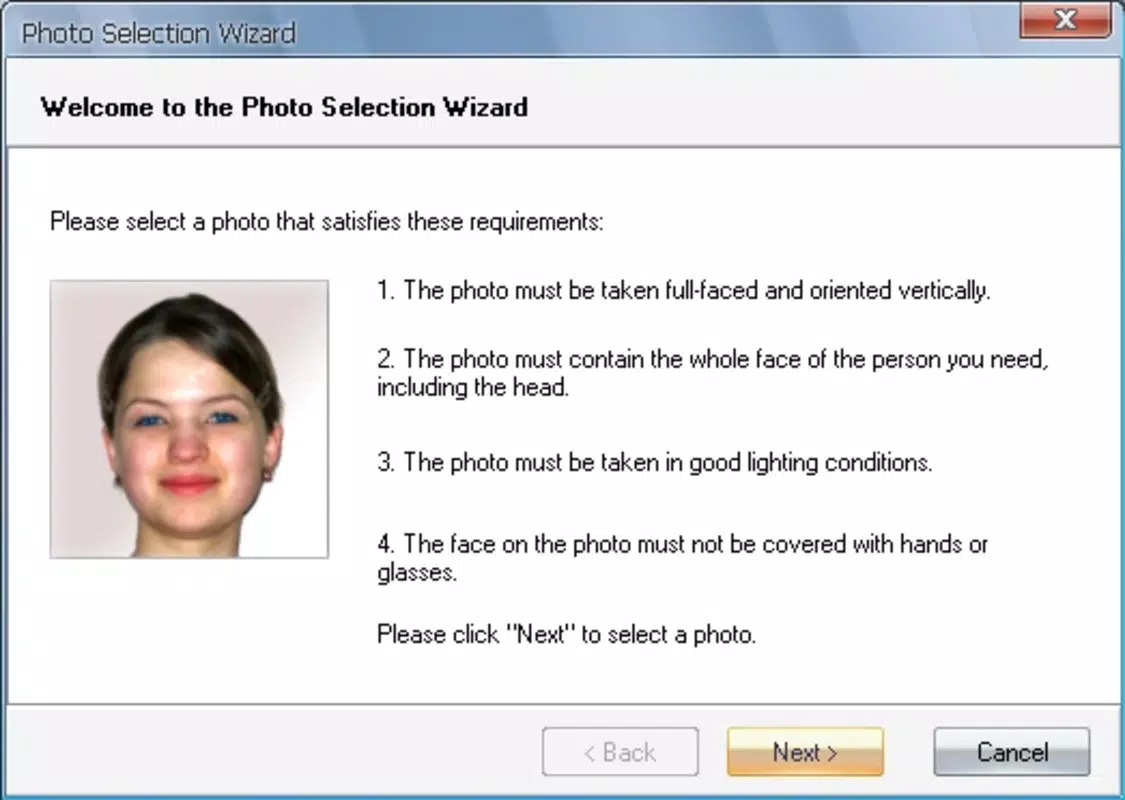
FaceMorpher Lite is a specialized utility application designed to generate morph animations from two driver’s license-style photographs. Its core purpose is to transform static images into dynamic, seamless transitions by aligning facial features through automated detection and manual refinement. The app targets users interested in creative photo editing, digital art, or novelty animations for personal or educational projects.
By focusing on ID-style photos, it ensures consistent input quality, which enhances the reliability of the morphing process. The developer, Jason A. Bilbrey, has crafted a lightweight tool that emphasizes functionality over complexity, making it accessible to users with minimal technical experience.
Although the developer did not provide additional background on their professional history or other projects, the app’s consistent design and focused feature set suggest a deliberate approach to usability. Real-world applications include entertainment content creation, visual storytelling, classroom demonstrations, and social media engagement. In the broader context of image processing tools, FaceMorpher Lite occupies a niche role—offering a dedicated solution for a specific type of transformation without the bloat of general-purpose software.
Its lightweight footprint and zero price point further enhance its accessibility, positioning it as a practical option for users seeking a simple, effective morphing experience.
Key Features & Functionality
- Morphing Capability: The app specializes in creating smooth animations by morphing two ID-style photos. This functionality is ideal for users who want to visualize facial transformations, such as aging effects or identity blending, using standardized input.
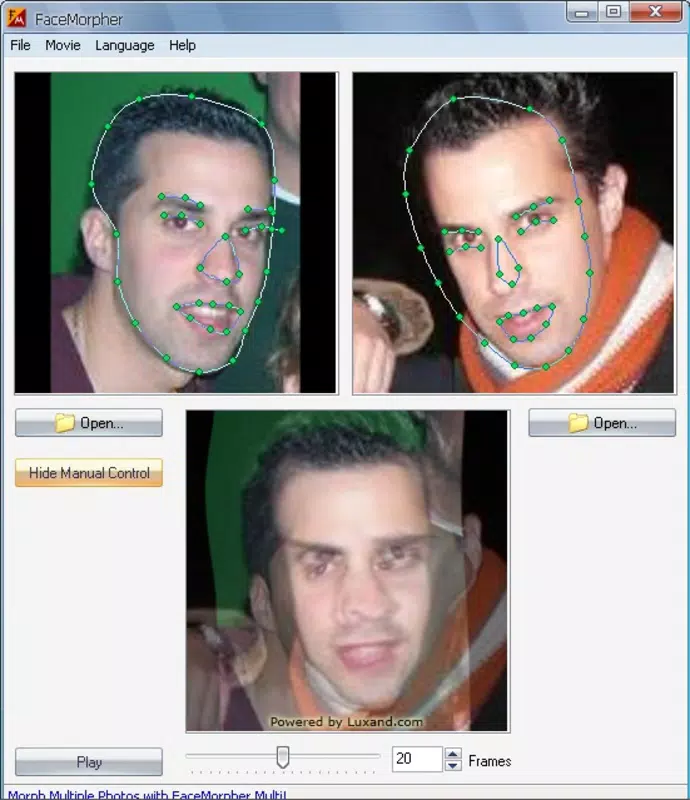
- Automatic Control Point Detection: FaceMorpher Lite automatically identifies key facial landmarks—including eyebrows, eyelids, mouth, and nose—reducing the need for manual setup. This feature streamlines the workflow and improves consistency, especially for users unfamiliar with facial alignment techniques.
- Manual Adjustment Option: When automatic detection falls short, users can manually refine control points. This allows for greater precision and customization, particularly when dealing with low-quality or non-standard images.
- Multiple Export Formats: Generated animations can be saved in GIF, AVI, and SWF formats. This flexibility supports various use cases, from web sharing (GIF) to multimedia integration (AVI, SWF).
- User-Friendly Interface: The application features a clean, intuitive layout that guides users through each step of the morphing process. Even those without prior experience in image editing can navigate the tool effectively.
For example, a user might use FaceMorpher Lite to create a short animation showing the transformation from a childhood photo to a current likeness, using two ID-style images. The automatic detection simplifies alignment, while manual edits ensure accuracy. The final output can then be shared on social media or embedded in a digital presentation.
Interface, UX & Performance
The interface of FaceMorpher Lite is designed with simplicity and efficiency in mind. It presents a minimalistic layout that prioritizes core functions—image import, morphing control, and export settings—without clutter. Navigation is linear and intuitive, guiding users through a clear sequence: load two images, initiate morphing, adjust control points if needed, and export the result.
Visual feedback during the morphing process helps users understand how their input affects the output. Although the developer did not list formal performance metrics, the app’s 1.8 MB file size suggests optimized resource usage, likely contributing to smooth operation on a wide range of Windows devices. Responsiveness appears to be consistent across different hardware configurations, though specific benchmarks were not provided.
Stability is implied by the app’s long-standing availability since 2015, indicating reliable core functionality over time. The lack of reported crashes or errors in public forums further supports its reliability. However, the absence of modern UI enhancements such as dark mode or touch gestures may limit appeal on newer devices.
Overall, the user experience is streamlined and effective for its intended purpose, balancing simplicity with sufficient control for creative customization.
Platform Compatibility & Technical Requirements
FaceMorpher Lite is designed for the Windows platform and requires a compatible Windows operating system. The current version is 1.0, with a file size of 1.8 MB, making it a lightweight application suitable for systems with limited storage. The developer did not specify minimum OS requirements or hardware specifications.
Compatibility information was not fully disclosed, so users should exercise caution when installing on newer or older Windows versions. The app’s small size and standalone nature suggest it may run on older systems, but this has not been confirmed. No additional dependencies or runtime libraries were mentioned.
Users should ensure their system meets basic Windows functionality standards before installation. Given the app’s release date of 2015, it may not support the latest Windows features or security protocols. Nevertheless, its continued availability indicates it remains functional on many systems.
For users seeking a portable, low-overhead tool, this app may still offer value despite its age.
Pros and Cons
Pros
- Lightweight at only 1.8 MB, ideal for low-storage devices.
- Zero cost with no in-app purchases or ads.
- Specialized focus on ID-style photo morphing for consistent results.
- Automatic control point detection simplifies the process.
- Manual adjustment option provides precision for advanced users.
- Supports multiple export formats (GIF, AVI, SWF) for versatile use.
Cons
- Platform is limited to Windows only; no mobile or macOS availability.
- Developer did not disclose OS compatibility or hardware requirements.
- Interface lacks modern design elements such as touch support or dark mode.
- Released in 2015; may not be optimized for current Windows versions.
- No official update history or changelog provided.
FAQ
Is FaceMorpher Lite safe to download and install?
Yes, the app is available for free and does not require registration. It is a standalone executable with no known malware. However, users should download it from trusted sources to ensure integrity.
Can I use FaceMorpher Lite with non-ID photos?
While the app is optimized for driver’s license-style images, it may work with other photos. However, results may vary depending on image quality and alignment.
Does FaceMorpher Lite support mobile devices?
No, the app is currently only available for Windows. There is no official version for Android or iOS devices.
How do I export my morph animation?
After completing the morphing process, users can export the animation in GIF, AVI, or SWF format using the built-in export function.
Is FaceMorpher Lite regularly updated?
The app was released in 2015, and the developer has not provided an update history. It may not receive future updates.
Final Thoughts
FaceMorpher Lite remains a surprisingly effective tool for creating face morph animations from standardized photos. Its focus on ID-style images, combined with automatic control point detection and manual refinement, delivers a balanced experience between ease of use and creative control. Despite its age and limited platform support, its lightweight design and zero cost make it a valuable resource for hobbyists, educators, and digital artists seeking a no-frills morphing solution.
While it lacks modern features and updates, its core functionality remains intact. For users on Windows who need a simple, reliable way to generate morph animations, FaceMorpher Lite offers a solid value proposition. Download FaceMorpher Lite now and bring your photos to life with seamless transitions.


